Skip to content
parsewiser.

Templates

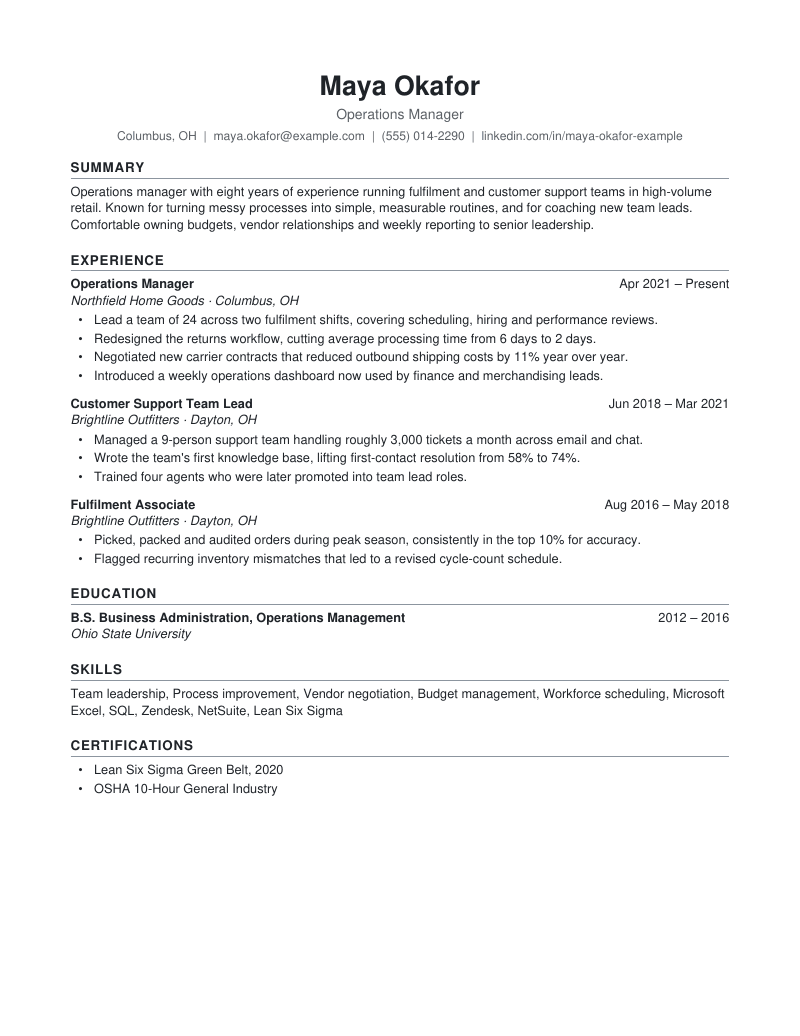
Resume templates that get past the parser.

Every ATS-safe design here is single-column with real text, so it parses cleanly, whether it's a classic layout or a modern one with colour. Creative designs are clearly marked: use those when you're emailing a person, not uploading to a job portal. Pick one and fill it in with the builder.

Preview of the Standard Professional resume template

Standard Professional

ATS-safe

A calm, centred header and ruled section headings in Calibri. Single column, no tables, contact details in the body.

Best for: Most roles with two or more years of experience.

Sample:WordPDF
Preview of the Technical resume template

Technical

ATS-safe

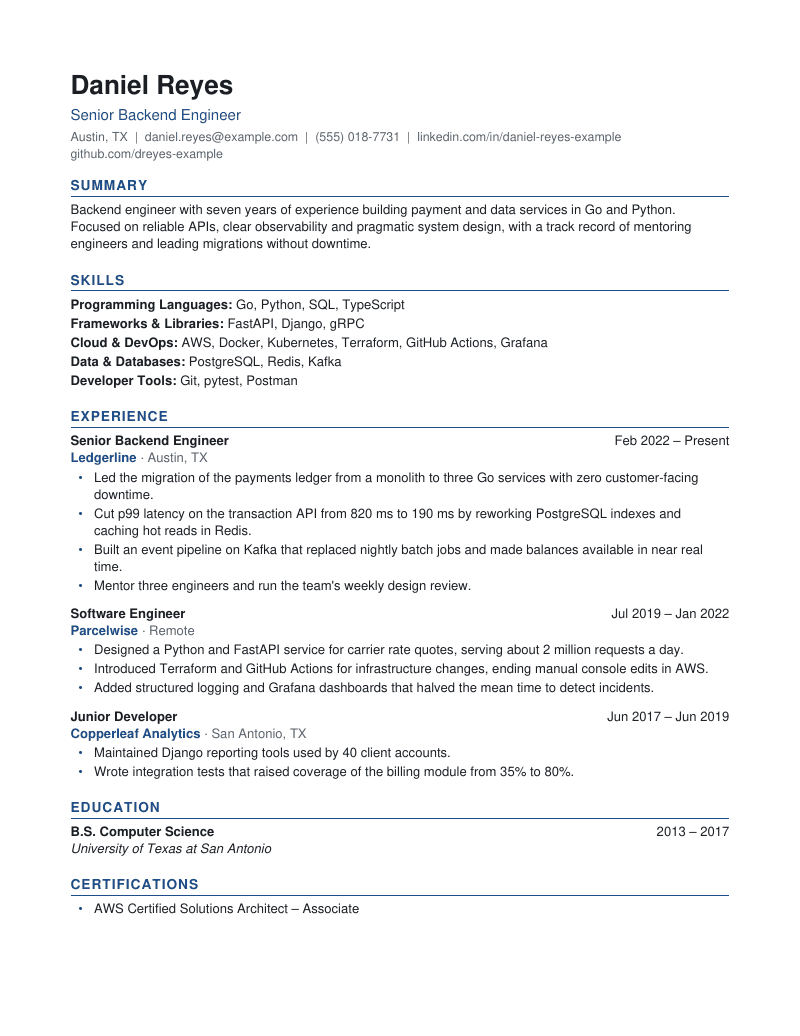
Left-aligned and compact in Arial, with skills near the top as plain grouped lines (Programming Languages: Python, Go).

Best for: Engineering, data and IT roles where tools are searched for by name.

Sample:WordPDF
Preview of the Entry Level resume template

Entry Level

ATS-safe

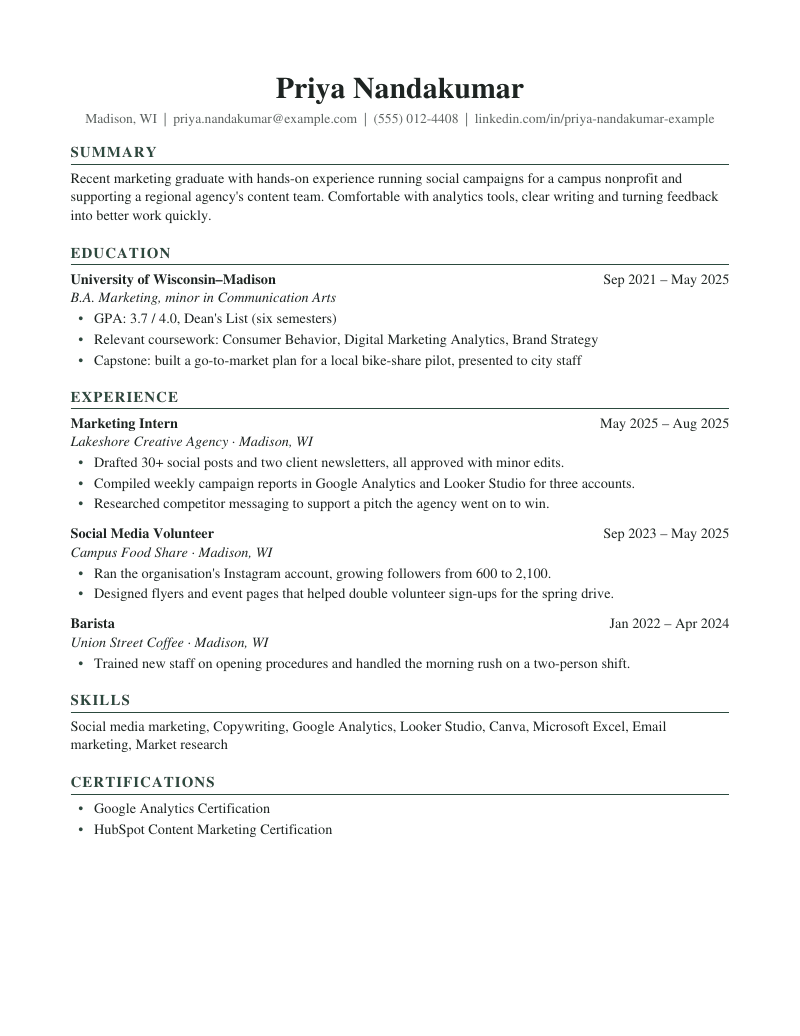
Education first, then experience and skills, set in Georgia with a quiet green accent.

Best for: Graduates, career changers and internship applications.

Sample:WordPDF
Preview of the Executive resume template

Executive

ATS-safe

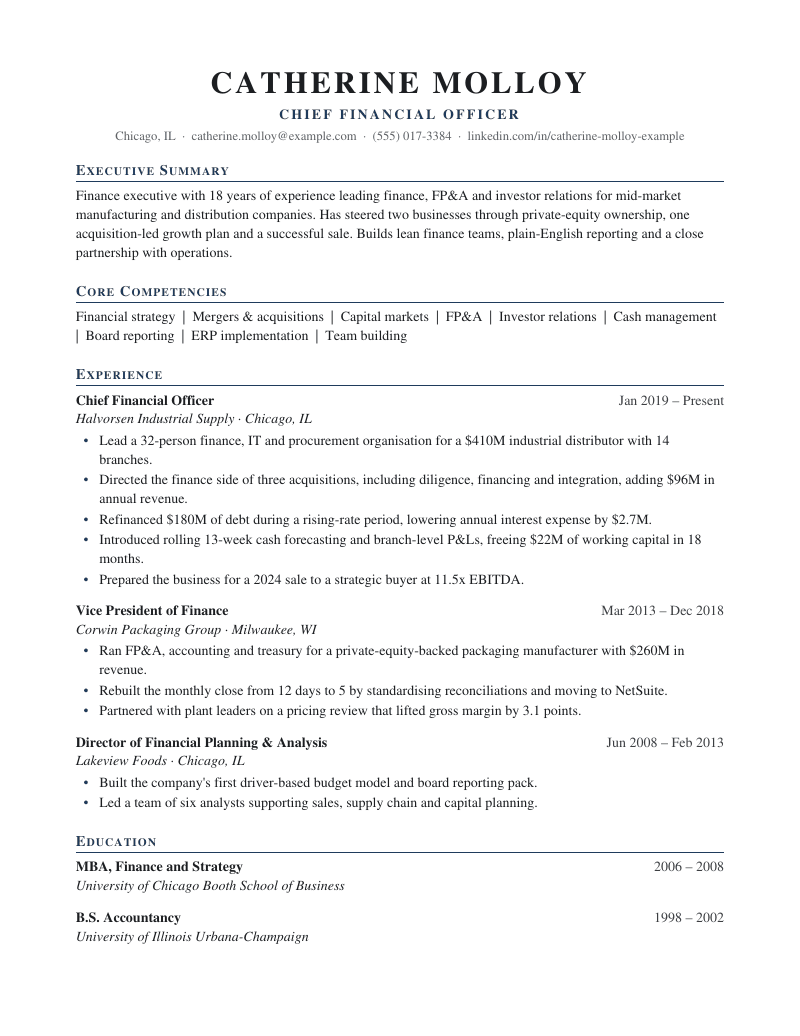
Cambria serif with a letter-spaced name, navy small-caps headings and a Core Competencies line under the summary. Reads well over two pages.

Best for: Directors, VPs and senior managers with long track records.

Sample:WordPDF
Preview of the Compact resume template

Compact

ATS-safe

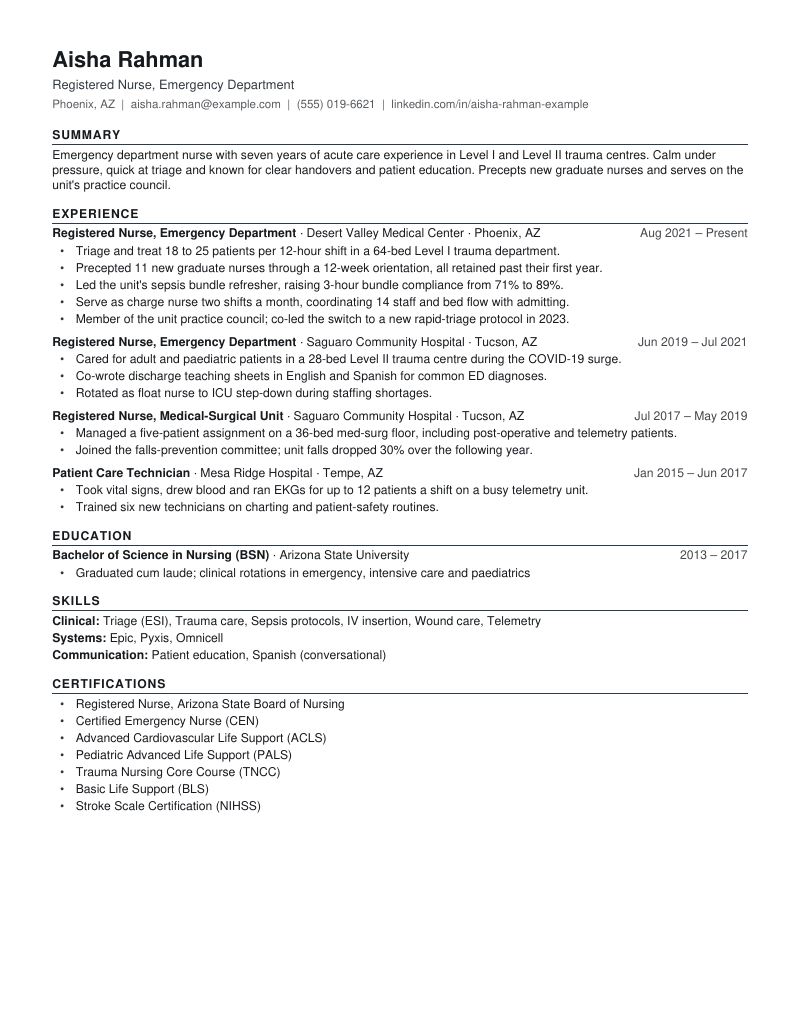
Dense one-page layout in Arial: narrow margins, one-line role headers and grouped skill lines, without shrinking text below 9.5 pt.

Best for: Clinical, trades and technical roles with many certifications or short stints.

Sample:WordPDF
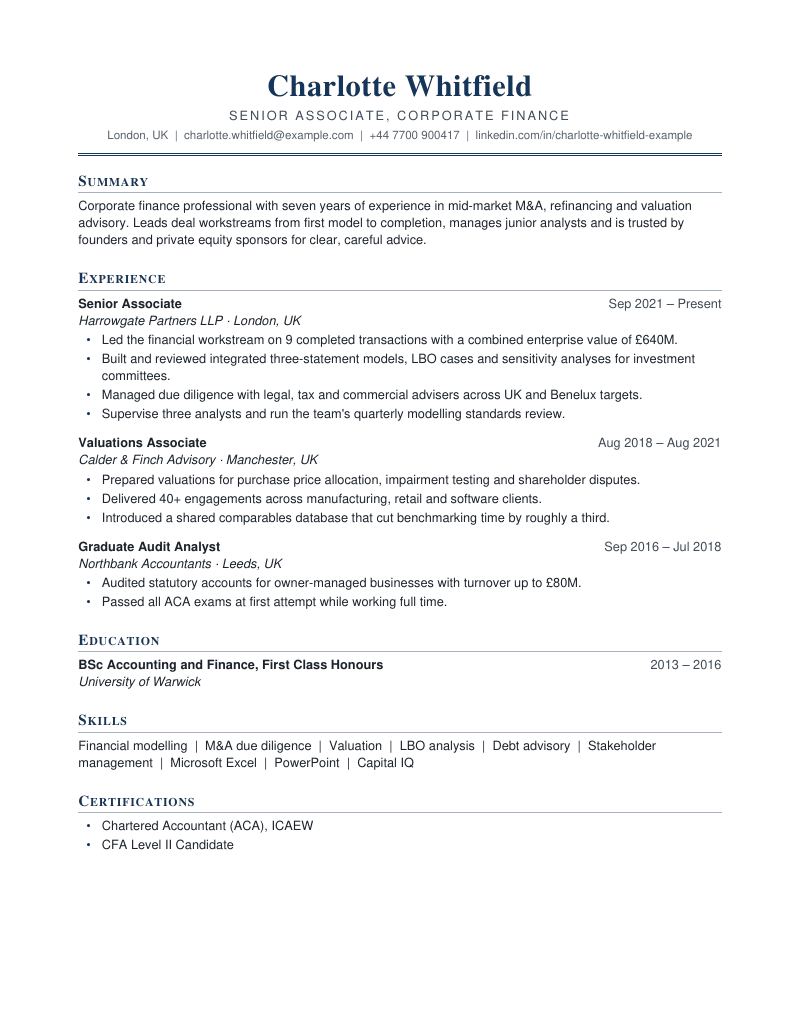
Preview of the Corporate resume template

Corporate

ATS-safe

Cambria name and small-caps headings over Calibri body text, a centred header closed by a fine navy double rule. Conservative, orderly and single column.

Best for: Finance, law, consulting, audit and banking applications.

Sample:WordPDF
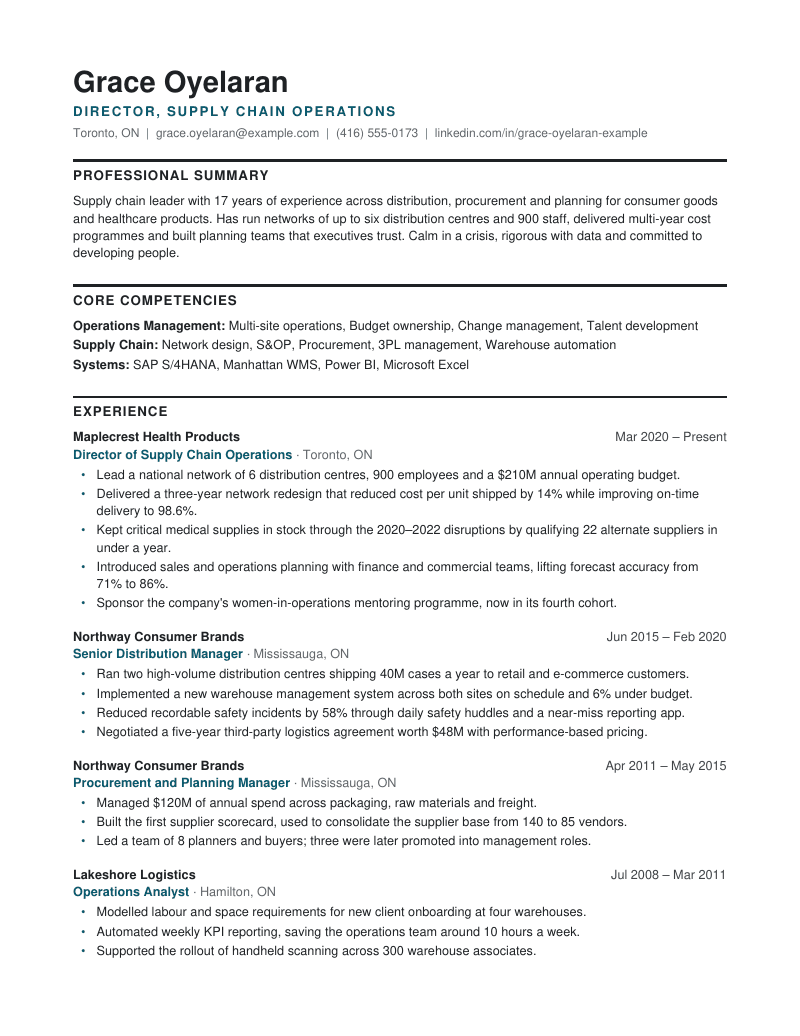
Preview of the Senior Detailed resume template

Senior Detailed

ATS-safe

Built for two pages: a heavy rule above each section heading, company-first role blocks with the job title in teal, and grouped competency lines. Tahoma, single column.

Best for: Senior managers, public sector and federal-style applications with many roles.

Sample:WordPDF
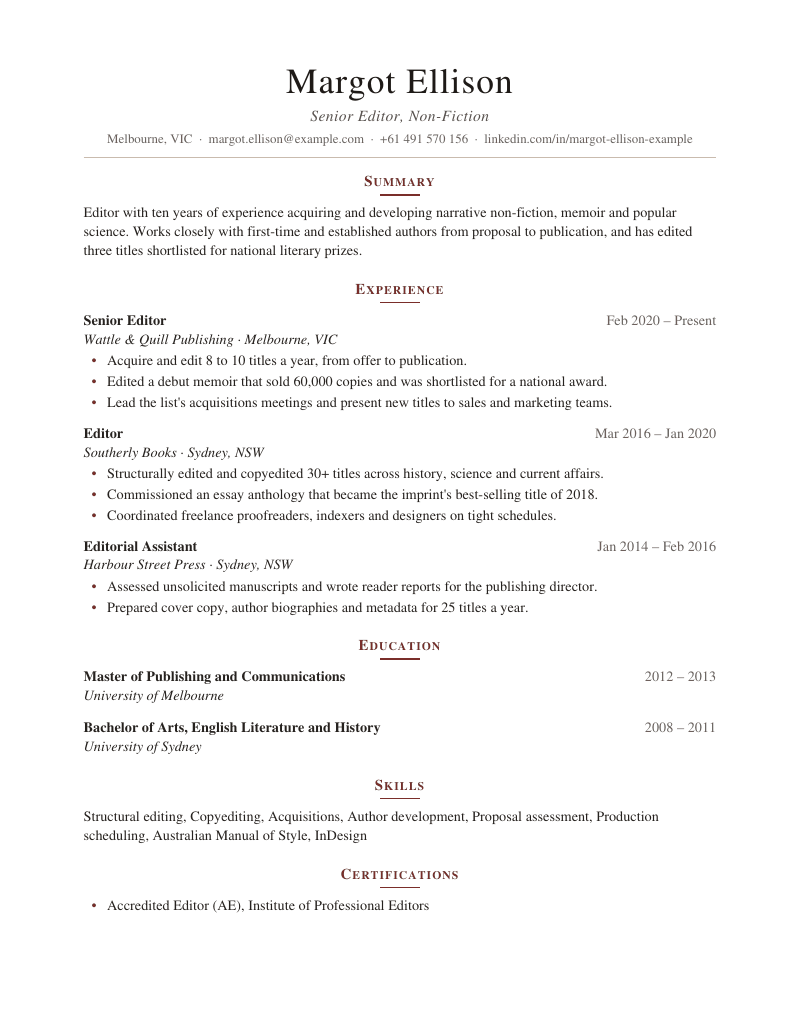
Preview of the Clean Serif resume template

Clean Serif

ATS-safe

Georgia throughout: a light, letter-spaced name, an italic headline and centred small-caps headings with a short oxblood rule. Body text stays left-aligned in one column.

Best for: Academia, publishing, editorial, research and the humanities.

Sample:WordPDF
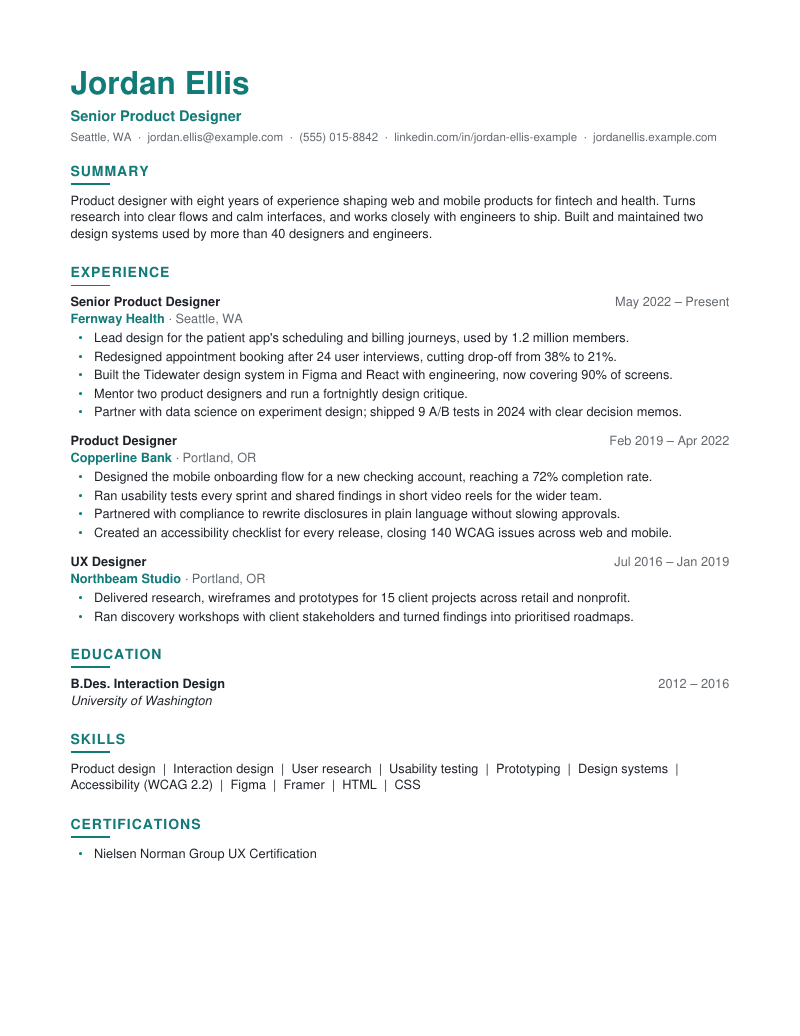
Preview of the Modern Accent resume template

Modern Accent

ATS-safe

A teal name, teal headings with a short accent bar and soft grey dates in Calibri. Still one column, real text and standard headings.

Best for: Design, product, marketing and tech roles at modern companies.

Sample:WordPDF
Preview of the Minimal resume template

Minimal

ATS-safe

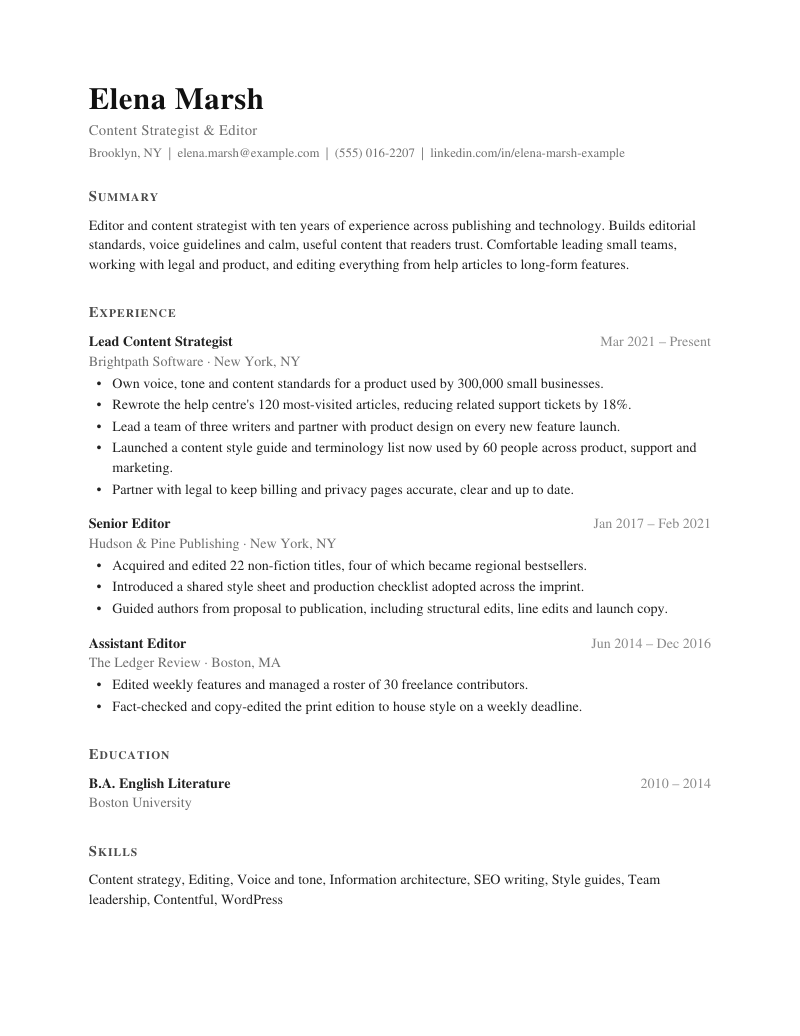
Garamond with generous margins, letter-spaced small-caps headings and light grey dates. No rules, no colour, just calm typography.

Best for: Writers, editors, consultants and anyone whose words should carry it.

Sample:WordPDF
Preview of the Bold Header resume template

Bold Header

ATS-safe

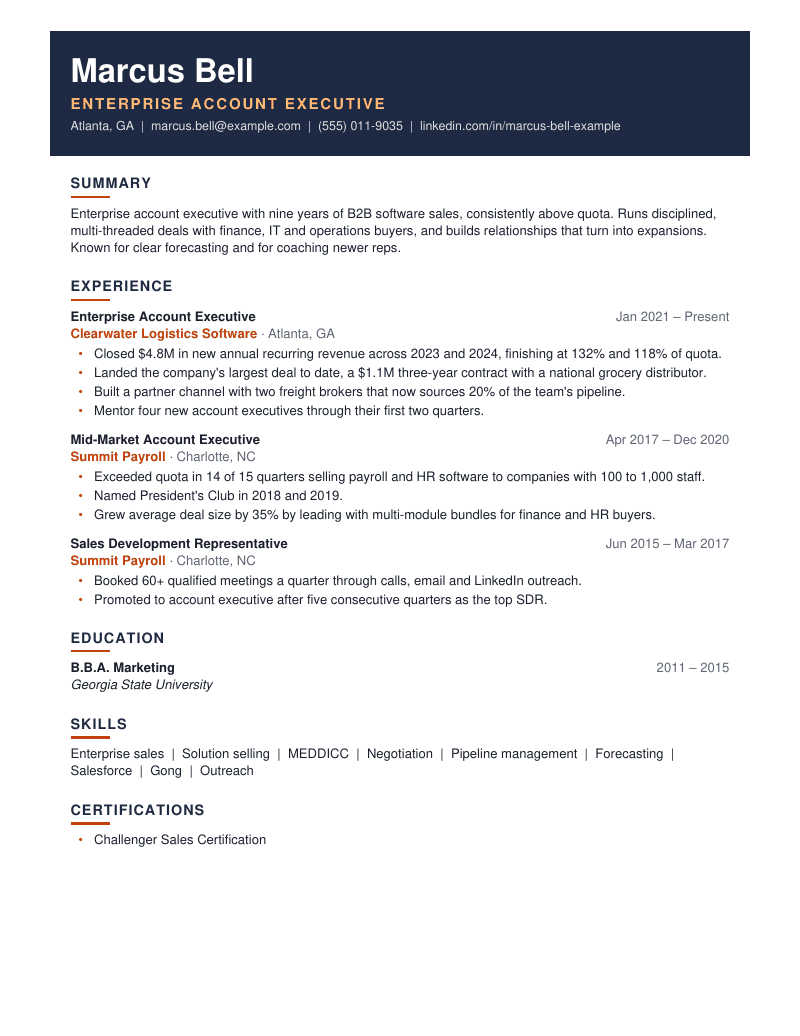
Name, headline and contact details on a navy band (paragraph shading behind real body text, not a header or text box), with orange accent bars under headings.

Best for: Sales, business development and client-facing roles.

Sample:WordPDF
Preview of the Timeline resume template

Timeline

ATS-safe

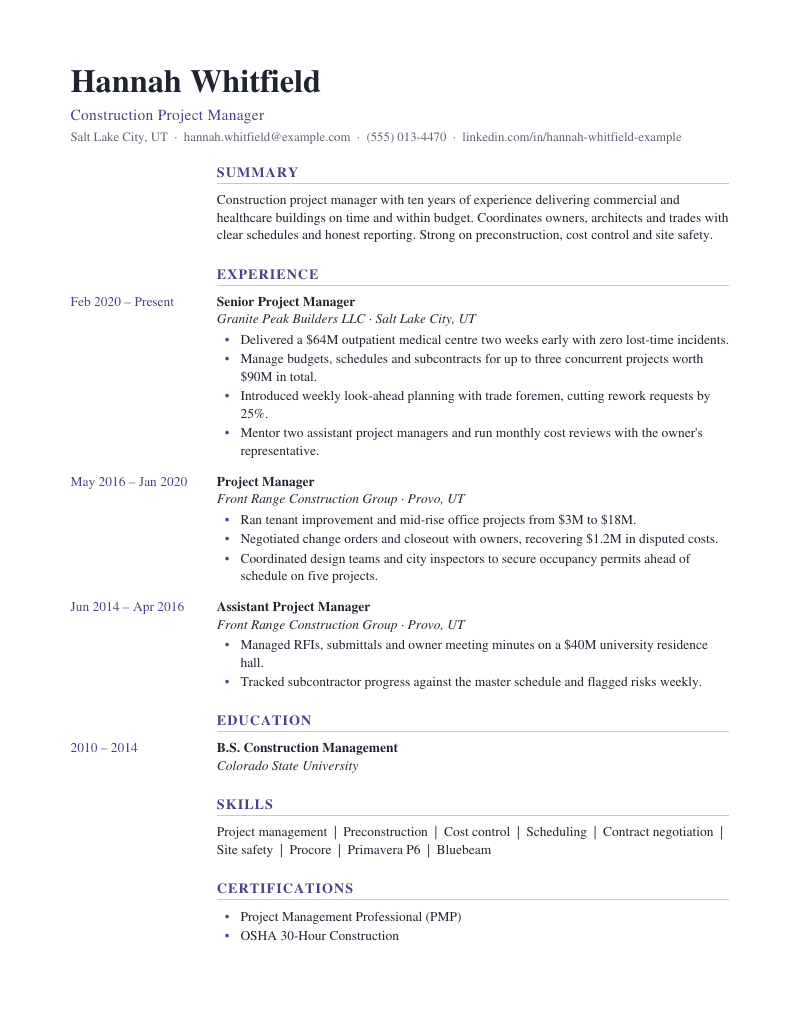
Dates sit in a left column set with tab stops (not a table), so the page scans like a timeline and still reads in one column. Georgia with a violet accent.

Best for: Project managers, teachers and steady career progressions.

Sample:WordPDF
Preview of the Accent Line resume template

Accent Line

ATS-safe

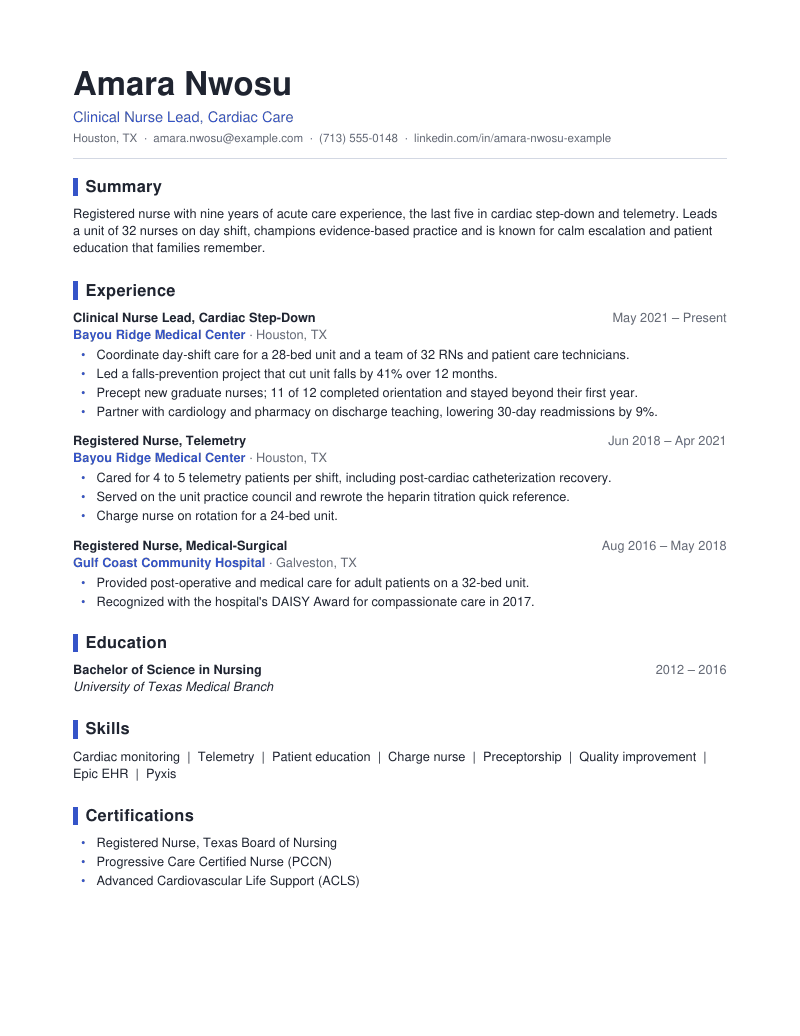
Title-case headings marked by a thick cobalt bar (a left paragraph border, not a shape), cobalt company names and a hairline under the header. Calibri, one column.

Best for: Healthcare, operations, customer success and other people-facing roles.

Sample:WordPDF
Preview of the Split Header resume template

Split Header

ATS-safe

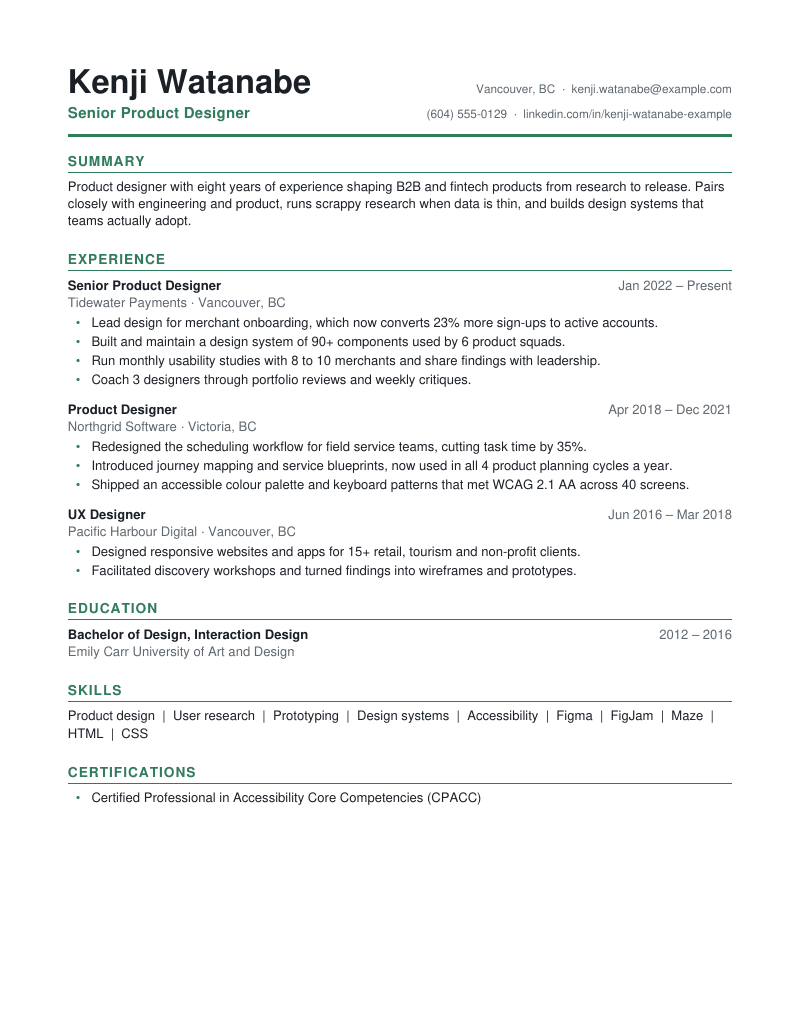
Name and headline on the left, contact details right-aligned on the same lines with a tab stop (not a table), closed by a bold green rule. Arial, one column.

Best for: Product, UX, analytics and tech roles where page one is precious.

Sample:WordPDF
Preview of the Monogram resume template

Monogram

ATS-safe

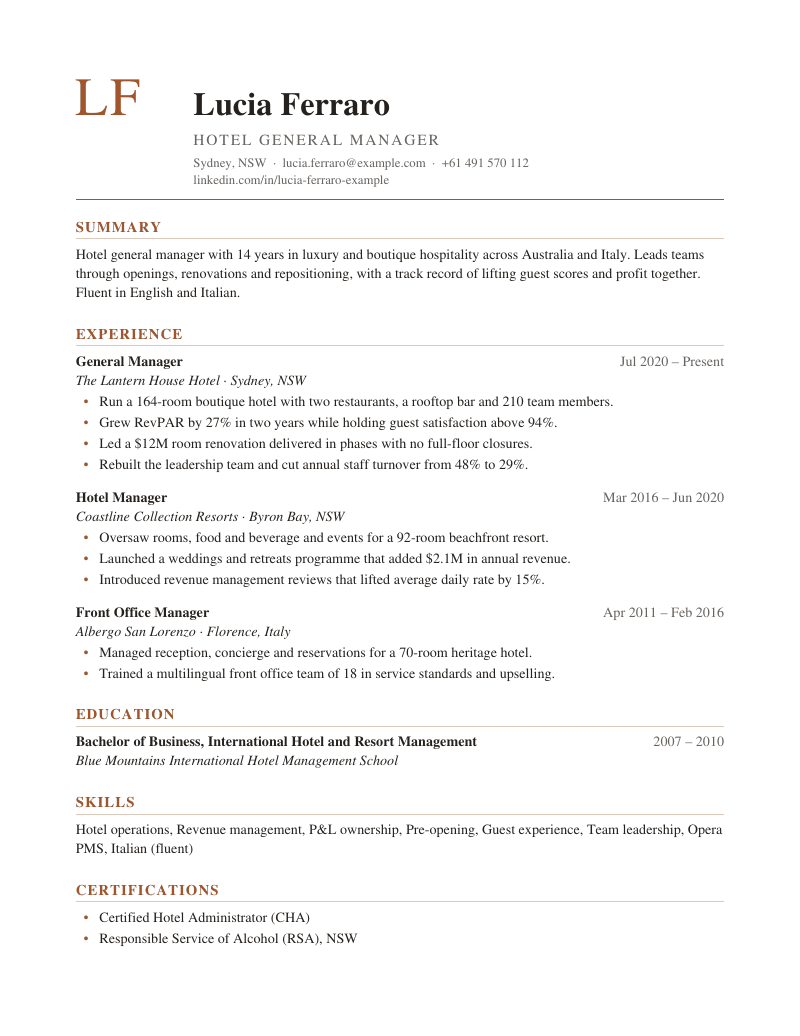
Your initials set large in copper as real text on the name line, with the name block aligned beside them via a tab stop. Palatino with warm rules; no images or text boxes.

Best for: Hospitality, architecture, real estate and client-facing leaders.

Sample:WordPDF
Preview of the Soft Band resume template

Soft Band

ATS-safe

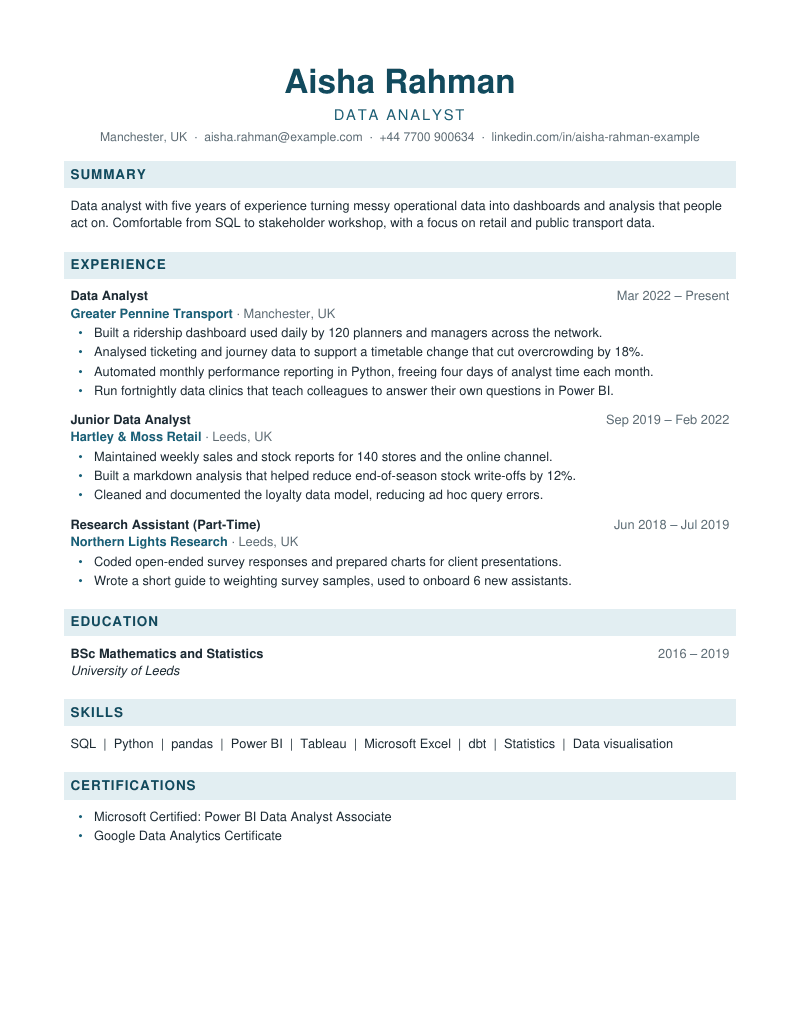
Section headings sit on light teal bands (paragraph shading behind the real heading text) under a centred header. Trebuchet MS, one column, standard headings.

Best for: Data, research, education and analyst roles with dense content.

Sample:WordPDF
Preview of the Sidebar resume template

Sidebar

Not for ATS uploads

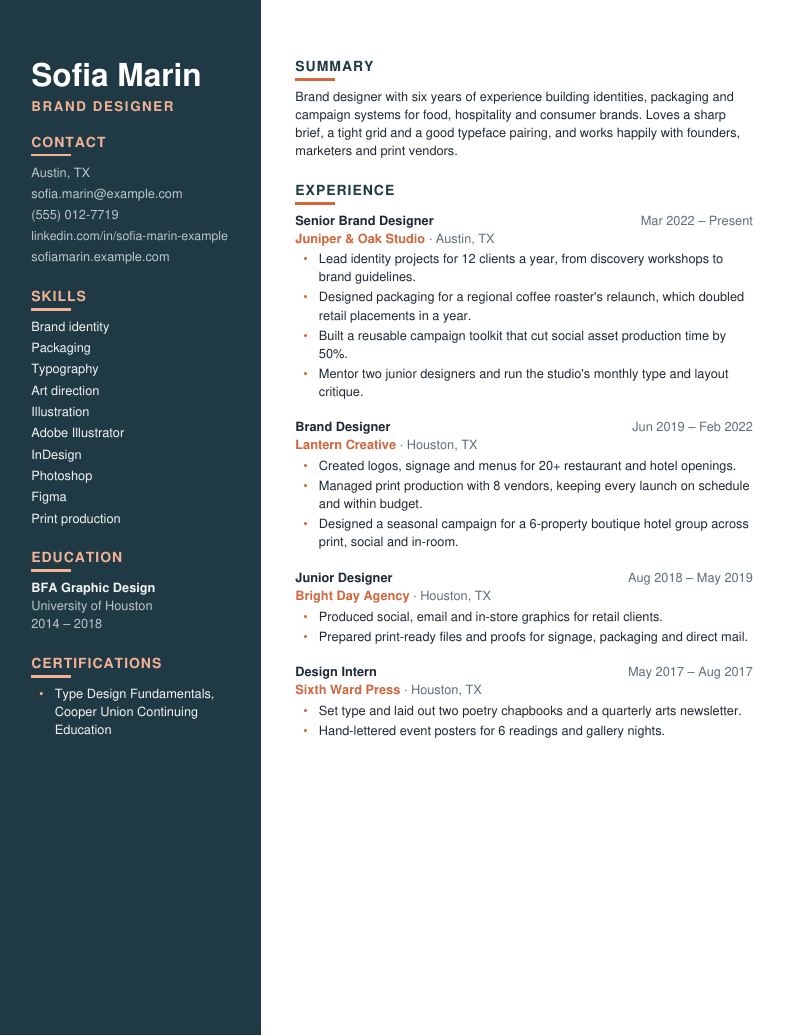
Not for ATS uploads: a two-column design with a deep teal sidebar for contact details, skills and education. Use it when you email or hand your resume to a person.

Best for: Networking, direct emails to hiring managers, portfolio links.

Sample:WordPDF
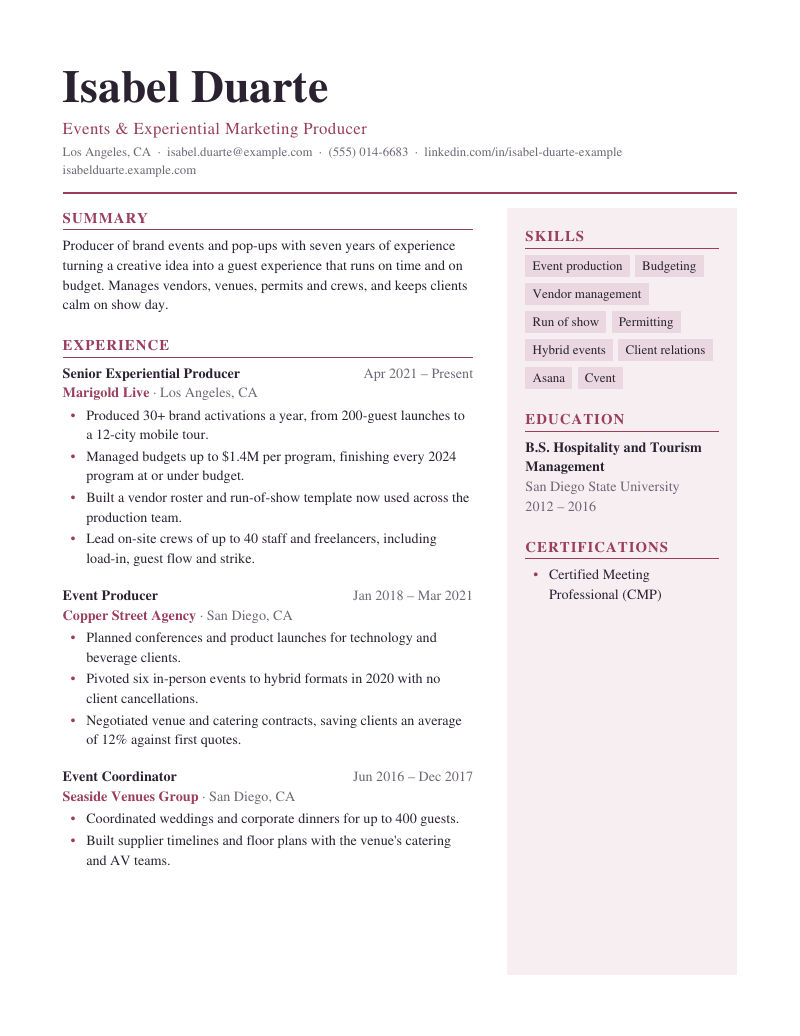
Preview of the Studio resume template

Studio

Not for ATS uploads

Not for ATS uploads: a large serif name over two columns, with skills as shaded tags in a blush side panel. Made for sending directly to a person.

Best for: Creative roles, freelance pitches and in-person handouts.

Sample:WordPDF
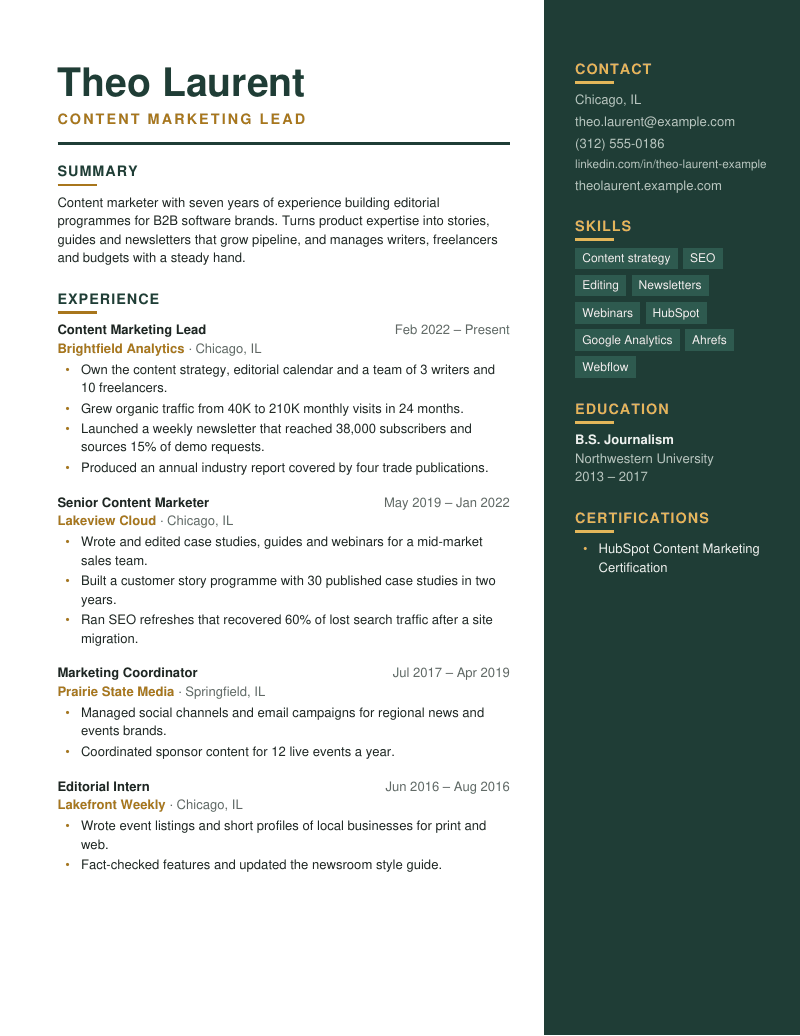
Preview of the Right Rail resume template

Right Rail

Not for ATS uploads

Not for ATS uploads: a bold forest-green rail down the right edge holds contact details, skill tags and education, with your name large at the top of the main column.

Best for: Marketing, content and brand roles when you email a hiring manager.

Sample:WordPDF
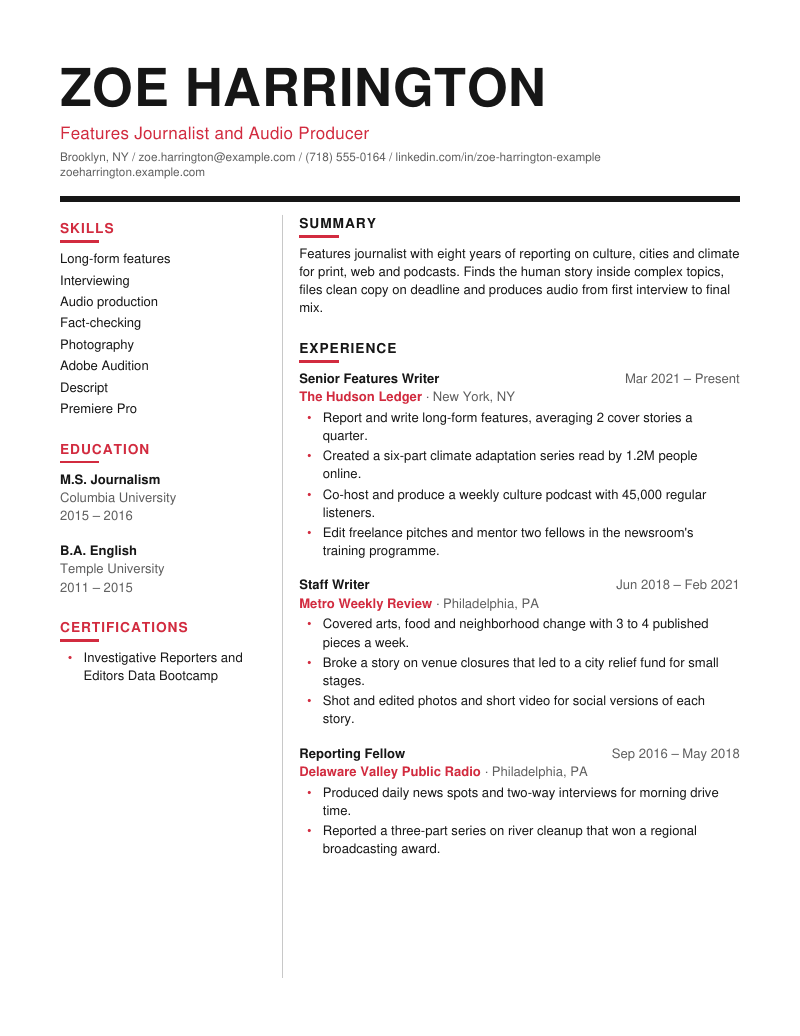
Preview of the Magazine resume template

Magazine

Not for ATS uploads

Not for ATS uploads: an oversized capitalised name over a heavy black rule, then two columns split by a fine vertical line, with red editorial headings.

Best for: Journalism, media, communications and portfolio handouts.

Sample:WordPDF
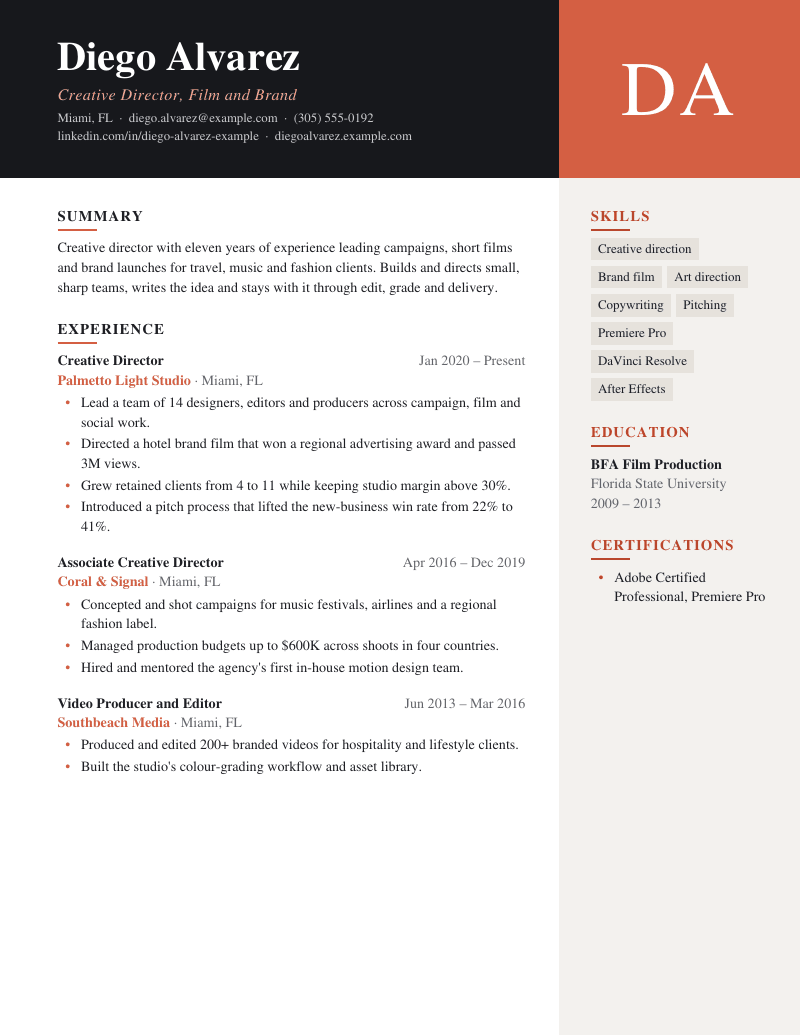
Preview of the Noir Monogram resume template

Noir Monogram

Not for ATS uploads

Not for ATS uploads: a full-width charcoal header band with a coral monogram tile (your initials as text, no photo), above a main column and a warm grey side panel.

Best for: Creative directors, producers and agency roles sent straight to a person.
Sample:WordPDF

What makes them parse-safe

Six rules every ATS-safe template follows.

Single column
Parsers read left to right across the page. One column keeps your reading order intact.
No tables or text boxes
Cell and box contents are commonly dropped or shuffled during extraction.
Contact details in the body
Many parsers ignore Word headers and footers, so your email would vanish.
Standard section headings
Summary, Experience, Education, Skills, Certifications: the words parsers expect.
System fonts
Calibri and Arial exist on every server. Decorative web fonts often do not.
Consistent dates
One month-and-year format throughout, so time in each role can be calculated.

Rather not retype everything?

Check your current resume. The results page rebuilds it in any of these templates from what was extracted, including any AI rewrites you accept.

Check my resume